Disclaimer: All tools and files shared here are for educational purposes only. Scan all files before use. By downloading anything from this site, you agree to use it at your own risk. We are not responsible for any damage or issues.
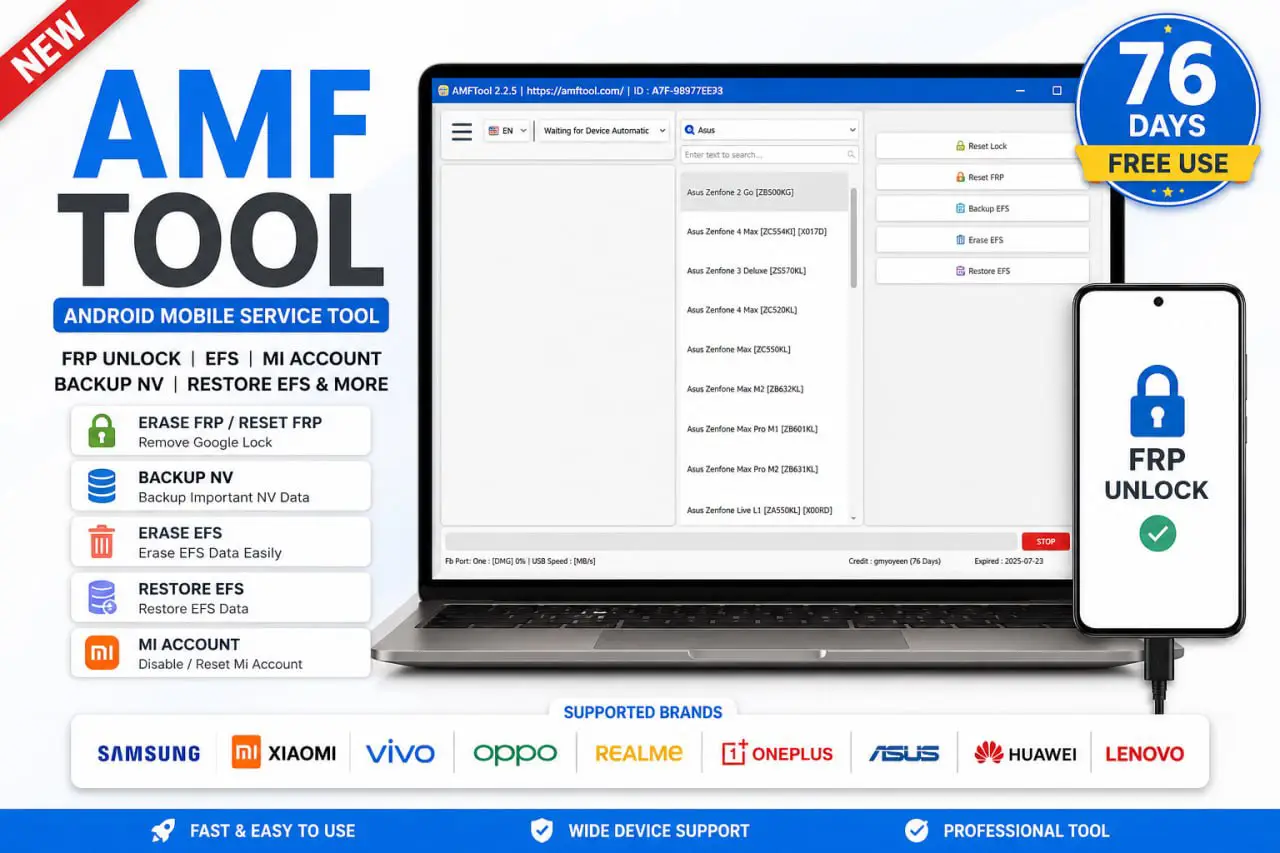
AMF Tool is a lightweight Windows repair tool that works on both 32-bit and 64-bit computers. It comes with a large device database and supports a wide range of phone models, including Snapdragon-based devices. With this tool, you can reset FRP, reset Mi Account, erase and restore EFS, backup NV data, and handle many other repair tasks from one simple program. The best part — it is currently free for 76 days with no license required, so download it now and enjoy full access while it lasts.
AMF Tool Features
- FRP Reset / FRP Unlock
- Mi Account Disable / Reset
- Backup NV / Restore EFS
- Erase EFS Support
- Large Supported Device Database
- Samsung / Xiaomi / Vivo / Oppo / Realme / More
- No License Needed for 76 Days Free Use
- Easy Patch & Login Process
- Beginner-Friendly Interface
AMF Tool 1.2.5 Download Link
Download AMF Tool v1.2.5 👉 Click Here
Password 👉 softwarecrackguru
Login Details
- Username 👉 gsmyogesh
- password 👉 12345678
How to Use AMF Tool
- 📥 First, download the AMF Tool ZIP file to your computer.
- 📂 Extract the ZIP file to any folder on your desktop or PC.
- 📁 Open the extracted folder. Inside, you will see all AMF Tool files.
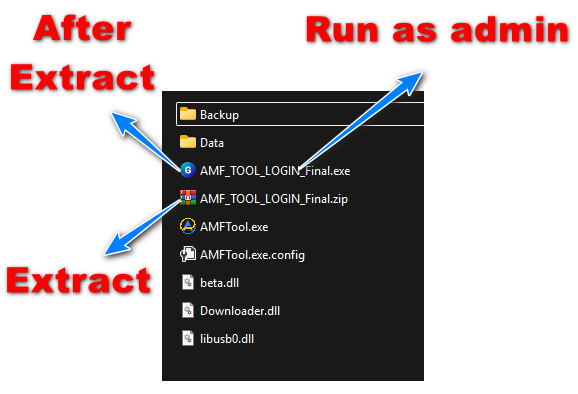
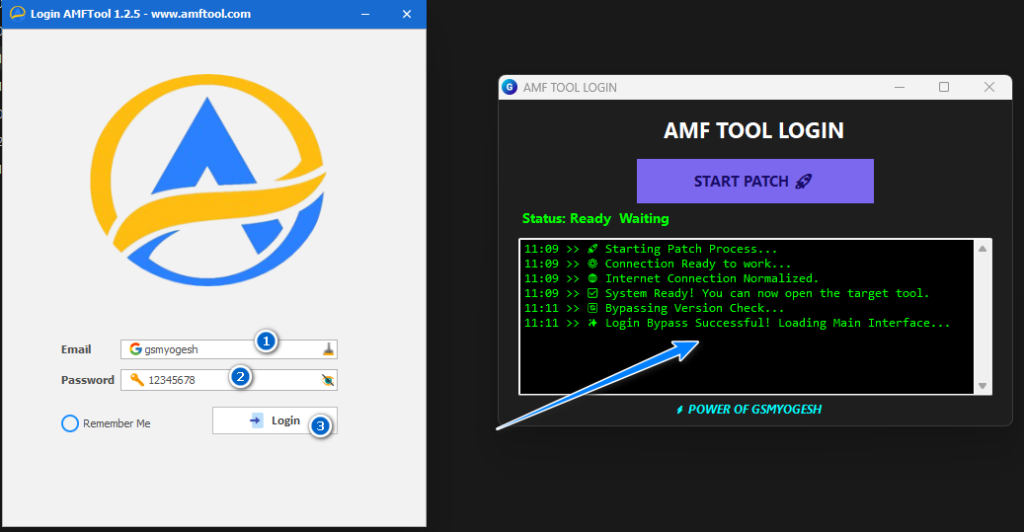
- 🛠️ Run AMF_TOOL_LOGIN_Final.exe as Administrator.
- 🚀 When login window opens, click START PATCH button.
- 🔐 A Windows security certificate popup may appear. Click Yes to continue.
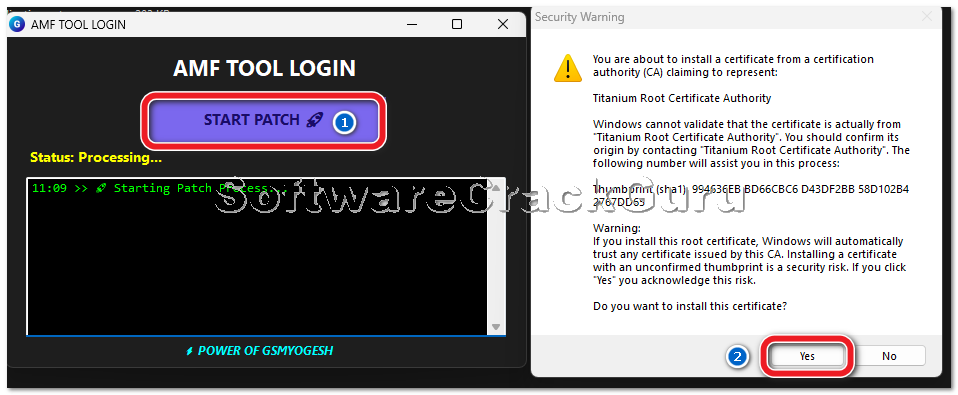
- ⏳ Wait until patch process finishes successfully.
- ✅ When you see System Ready / Login Bypass Successful, the patch is complete.
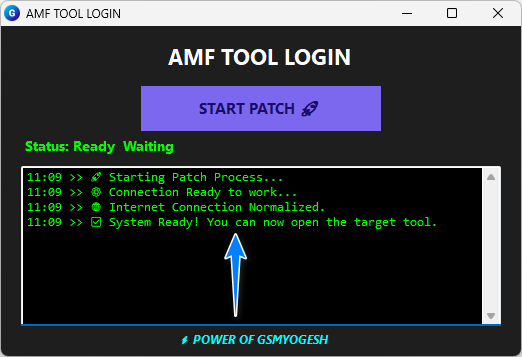
- 🔓 Now open the main AMF Tool software.
- 👤 Enter the login details Username – gsmyogesh, password – 12345678 if needed, and click Login.
- 🎉 The tool is now ready to use. Connect your phone and start working.
Leave a Comment