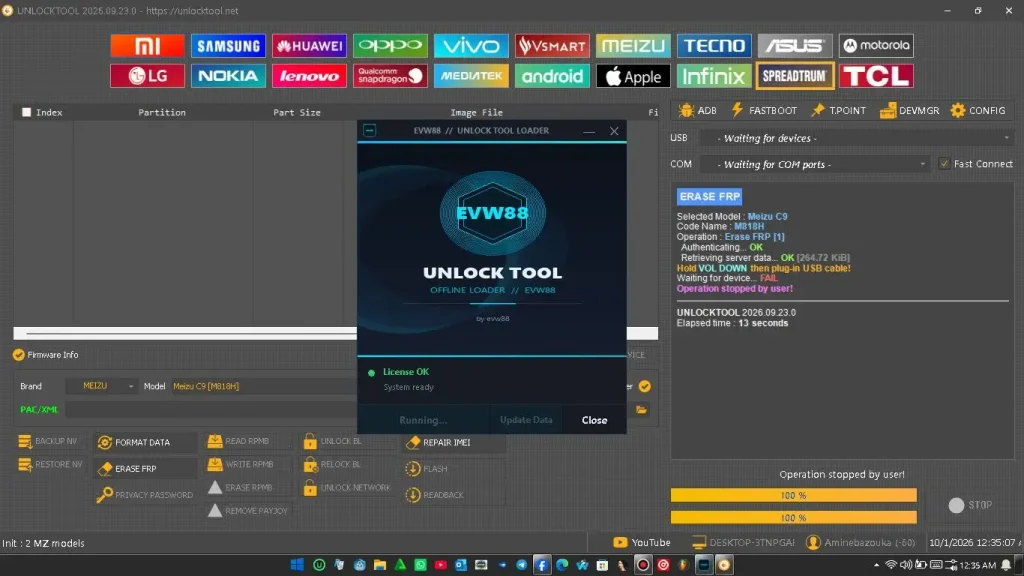
Dars Unlock V4 is a Windows tool made to work with UnlockTool and provide free login access. The latest version supports UnlockTool v2026.09.23.0 and includes support for Xiaomi, Samsung, Vivo, OPPO, Realme, Huawei, Honor, Apple, MediaTek, Qualcomm, Unisoc, and other brands.
The tool uses a local server and handles the login process without requiring a paid UnlockTool account. It is mainly useful for mobile repair technicians who work with different Android and Apple devices.
Also Try 👉 Best FREE Samsung FRP Tool
DarsUnlocker V4 Features
- ✅ Supports Unlock Tool v2026.09.23.0
- ✅ Auto Login
- ✅ Username & Password added automatically
- ✅ Unlock Tool opens automatically
- ✅ Just wait and click Login
- ✅ No need to open Unlock Tool manually
- ✅ New V4 Loader
💻 Windows 10/11 64-bit
🌐 Internet connection required.
What You Need Before Starting
- A Windows PC
- Dars Unlocker setup
- UNLOCKTOOL installed on the same PC
- Need internet connection
Dars Unlock Tool Download Link
https://mega.nz/file/z8AX1LSZ#CF5R6AjcIE4zCUEB_BiCaV6CTB3B_YRJbLYFLK_c6S0
Unlock Tool Setup 👉 https://www.mediafire.com/file_premium/ii6vxzipry08f77/UnlockTool-2026-09-23-0.zip/file
How to install
- Open DarsUnlocker-installer-V4.exe.
- Keep all the checkboxes checked during setup.
- Click Install and wait for the setup to finish.
- Open DarsUnlocker and wait for it to load.
- Do not open UnlockTool yourself.
- Wait for UnlockTool to open automatically.
- The loader will enter the username and password for you.
- When the Login button is ready, click it once.
- Now you can use UnlockTool.
Leave a Comment