Disclaimer: All tools and files shared here are for educational purposes only. Scan all files before use. By downloading anything from this site, you agree to use it at your own risk. We are not responsible for any damage or issues.
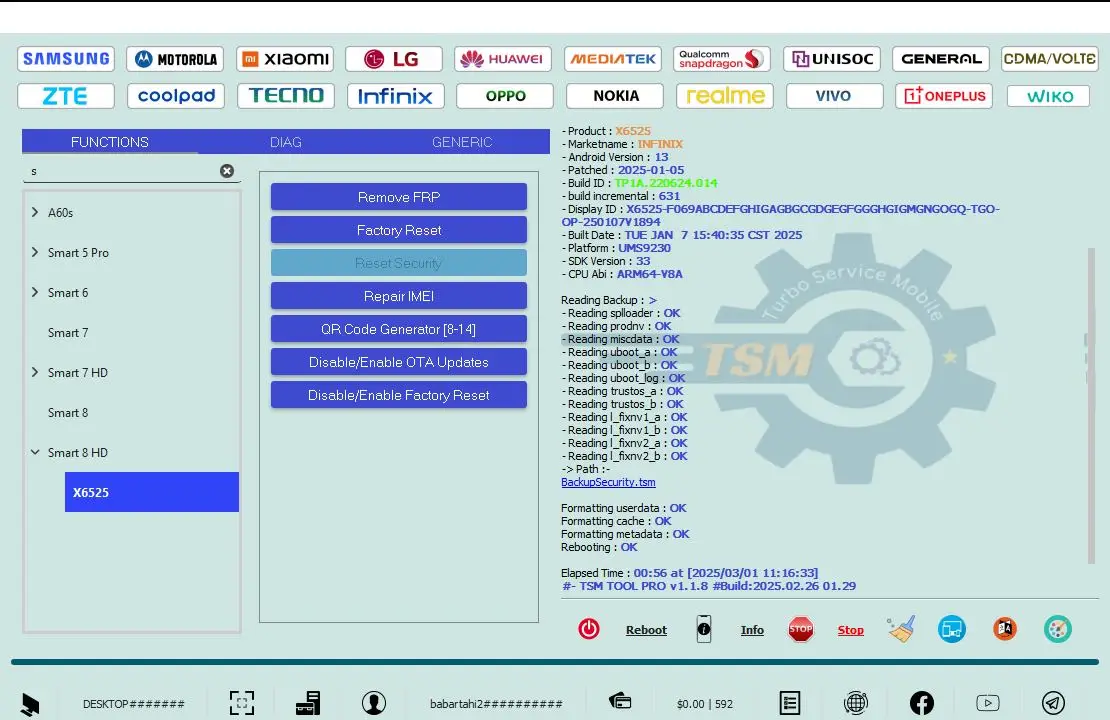
TSM Tool v2.4.1 is a powerful tool for Android phones. It helps users perform simple operations such as reading device information, rebooting the phone, installing apps, and performing resets using ADB or Fastboot. In the free version, only basic features are available, while advanced options require a login and full version access.
TSM Tool v2.4.1 Free Version Features
ADB Mode
- Device Info Read
- Reboot Normal
- Reboot Recovery
- Reboot Bootloader
- Install APK
- Uninstall App
- Push Files
- Pull Files
- Screenshot Capture
- Screen Record
- Open Settings
- Logcat Viewer
- ADB FRP Reset (Basic)
- ADB Factory Reset
Fastboot Mode
- Device Detect
- Get Device Info
- Reboot System
- Reboot Recovery
- Unlock Bootloader
- Relock Bootloader
- Flash Boot Partition
- Flash Recovery Partition
- Erase Userdata
- Erase Cache
- Factory Reset
❌ Not Working (Locked)
- FRP via MTP
- FRP via Download Mode
- FRP via META
- Firmware Read / Write
- KG Lock Remove
- MDM Remove
- Security Patch Disable
- EFS Explorer
- NV / QCN Read Write
- IMEI Patch
- SPC Reset
- Open Diag Menu
- Hidden Menu Access
- Samsung Advanced Features
- LG Advanced Features
- Xiaomi Advanced Features
TSM Tool v2.4.1 Free Version Download Link
Download TSM Tool Setup 👉 Click Here
Download TSM Tool Loader 👉 Click Here
Login Details
- Username: 👉 gsmyogesh
- Password: 👉 12345678
Watch this video for the installation process 👇
Leave a Comment