Disclaimer: All tools and files shared here are for educational purposes only. Scan all files before use. By downloading anything from this site, you agree to use it at your own risk. We are not responsible for any damage or issues.
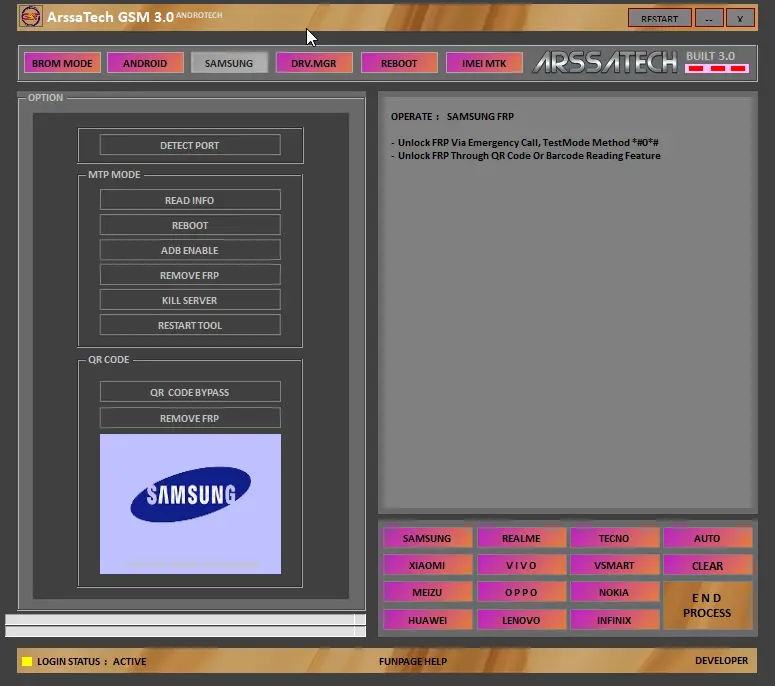
ArssaTech GSM Tool V3.0 is a simple and powerful tool for Android devices. It supports modes like BROM, ADB, and Fastboot, offering features like IMEI backup/restore, bootloader unlocking, FRP removal, and device info recovery. Compatible with brands like Vivo, Oppo, Xiaomi, Samsung, and Huawei, it makes repairing and unlocking devices fast and easy.
How To Install ArssaTech GSM Tool
Login Details
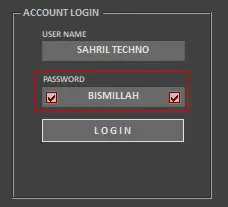
LOGIN Password: BISMILLAH
Download Tool 👉 Click Here
Password: 👉 1234
- Download ArssaTech GSM Tool from the provided link.
- Extract the setup file to your desktop using the password: 1234.
- Double-click the setup file and follow the steps to install.
- Find the desktop shortcut, right-click, and choose “Run as administrator.”

- Enter the login password: BISMILLAH and check “Remember” to save it.
- Connect your device in ADB, Fastboot, or the required mode.
- Access Pro Mode features easily unlock, reset, and perform other tasks.
Leave a Comment