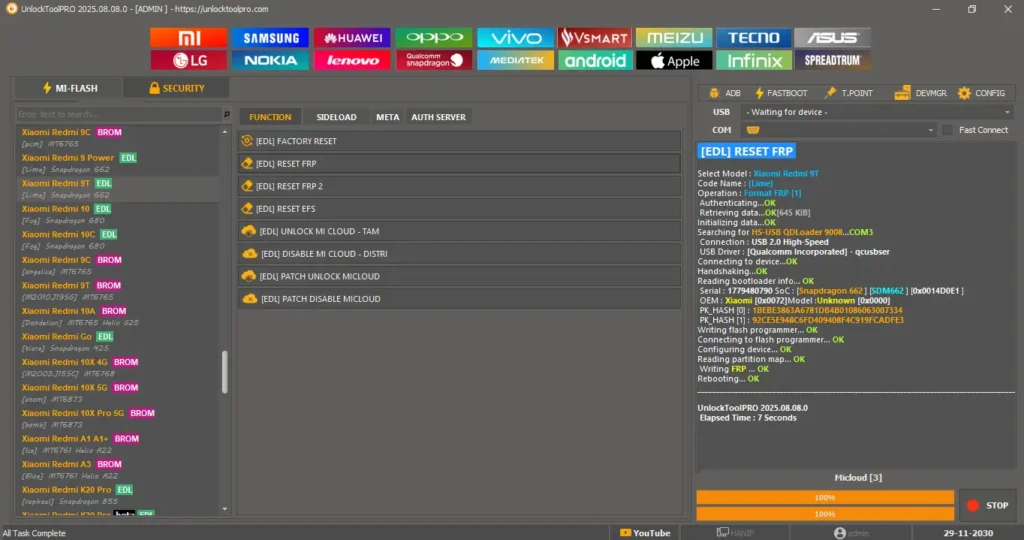
UnlockToolPRO (Update – 18 December 2025) is a powerful mobile servicing tool made for technicians who work with Oppo, Realme, Xiaomi, Poco, Redmi, and BlackShark devices. This update adds new support for many Oppo phones, introduces a new method for Realme Unisoc models, and fixes Qualcomm connections for Xiaomi, Poco, and BlackShark devices.
The tool supports major chipsets like MTK, Qualcomm, SPD, and Exynos, and works in ADB, Fastboot, EDL, BROM, and Preloader modes. You can easily do factory reset, FRP removal, flashing, bootloader unlock, screen lock reset, IMEI repair, and other repair tasks. Just update the tool and start working—it’s fast, stable, and easy to use.
UnlockToolPRO Download Link
Register Link 👉 Click Here
Download Unlock Tool PRO 👉 Click Here
Password 👉 softwarecrackguru
Premium FREE Unlock Tool 👉 BFT Best Flash Tool by BossV V1.8 Download
How to Use UnlockToolPRO (Quick Steps)
- Open https://unlocktoolpro.com/register.php in your browser.
- Create an account by entering a username, email, and password.
- No email verification is needed — your account is ready instantly.
- Open UnlockToolPRO on your PC.
- Log in using the same username and password.
- Connect your phone and start using the tool for free until the next update.
Leave a Comment